Enterprise Car Rental
- 4.6
- Rating
- 5.00M
- Installs
- Free
- Price

 Analysis by App-foxy
When I need a rental car, I usually want to solve the practical part quickly: find a nearby branch, check what is available, and keep the reservation details in one place. Enterprise Car Rental is built for that specific job rather than for general trip planning, and that focus makes it useful in a shared household where several people may need to coordinate the same vehicle.
I tested it as a travel and local app from EAN Services, LLC, and my overall impression is positive. It is free, aimed at Everyone, and its current version is 8.8.0.2357. The app has reached over a million installs, with a 4.6 average from around fifty thousand ratings and roughly eighteen thousand written reviews. Those figures suggest that it is a well-established tool, but the real question is whether it fits the way you actually rent and share cars.
How Enterprise Car Rental works when more than one person is involved
The most convincing use case is a household trip where one person handles the booking but another person will drive, collect the car, or keep track of the reservation. For example, imagine arranging a weekend visit while one family member is at work. I can use the app to look for an Enterprise branch, make the rental arrangements, and then send the important details to the other driver through the household’s usual messaging method.
You May Also Like

 Blood Strike: 2.5 Anniversary
Blood Strike’s Loadouts Turn Every Drop Into a Tactical Gamble
A close look at Blood Strike’s custom loadouts: how fast access to signature weapons reshapes its battle royale rhythm, rewards preparation, and narrows the gap between fights.

 Pandora - Music & Podcasts
Pandora’s Music Is Easy to Start, but Harder to Recover
Pandora’s strength is its low-effort path from a seed to a station. Its weak spot is how much confidence it asks you to place in connection, setup, and quiet recovery.

 8 Ball Pool
 Is Built on Rivalries, Rematches, and Routine
A close look at the rivalries, rematches, shared routines, and unanswered safety questions that turn a quick pool match into a persistent mobile community.

 Samsung Music
’s Quiet Strength Is Playing What You Already Own
Its reach comes less from spectacle than from dependable access to a personal library. That simplicity is both the app’s strongest retention engine and its ceiling.

 AccuWeather: Weather Radar
AccuWeather Review: A Quick, Clear Forecast for Everyday Decisions
For everyday plans, the best forecast is the one you can understand quickly. AccuWeather makes rain timing, radar, and local conditions easy to act on, with a few trade-offs.

 Hill Climb Racing
Why Hill Climb Racing Still Turns Crashes Into One More Run
A tiny car, a bumpy hill and one more upgrade: Hill Climb Racing keeps resurfacing because its simple chaos makes every near-miss feel personal.
More From Our News Desk



That workflow is more useful than it first sounds. A car rental involves several small pieces of information that are easy to lose in email: the branch location, collection time, return time, and the name attached to the reservation. Keeping the booking process in one dedicated app reduces the chance that I will confuse it with a hotel confirmation or a flight notification.
It is also a reasonable fit for shared devices. A couple might use one tablet at home to compare rental options, while a parent may use a phone during the actual journey. I would not treat the app as a family account manager, though. It is a rental tool, not a household dashboard, so each person still needs to agree on who is booking, who is driving, and who is responsible for checking the final details.
The most important household habit is to separate booking responsibility from driving responsibility. Before confirming anything, I would make sure the person named on the reservation knows the collection plan and that the intended driver understands what information they may need at the branch. The app can help organize the rental, but it cannot replace that conversation.
Starting a reservation without losing the practical details
The app’s main value is its direct connection to Enterprise rental locations. Instead of beginning with a broad travel marketplace and filtering through hotels, flights, and transport options, I can concentrate on the car itself. That is especially helpful when I already know the rental company I want to use or when a particular Enterprise branch is more convenient than an airport counter.
I found this focused approach easier for straightforward plans than using a general comparison service. A comparison site may show more companies at once, which is useful when price is the only priority. Enterprise Car Rental is better when I care about arranging a rental through Enterprise and want the company’s own location-based process rather than a third-party layer.
There is a trade-off here. A dedicated company app does not give me the same broad market view as a multi-company rental platform. If I am still deciding between several providers, I would compare elsewhere first. If I have already chosen Enterprise, the dedicated app feels more direct and less cluttered.
Setting boundaries before a shared-device booking
Using the app on a shared phone or tablet requires a little discipline. I would avoid treating a device that everyone uses as if it automatically represents the whole household. The person making the reservation should review the entered details personally, while other household members can check the plan without casually changing it.
This matters because a rental reservation is not the same as a shared shopping list. A quick tap by the wrong person could alter a search or interrupt the booking flow. I prefer one person to own the final confirmation, then share the relevant information manually with the rest of the group.
For a family trip, I would also create a simple handoff routine. The booking person checks the branch and times, the driver confirms that they can arrive as planned, and everyone knows where the reservation information is stored. The app supports the first part of that routine, but the household still needs its own agreement for access and responsibility.
Another useful boundary is deciding whether the app is being used for research or for a committed booking. A teenager might help compare locations on a parent’s device, but I would not assume that browsing choices are final. The adult responsible for the rental should review the complete arrangement before completing it.
Coordinating collection and return around real schedules
Rental plans often fail because the vehicle is treated as the only moving part. In reality, the group also has to move people, luggage, and keys around a schedule. I use the app as the central reference for the rental plan, then coordinate the surrounding details separately: who travels to the branch, who has the reservation information, and who is available at return time.
A practical example would be a household sharing one car before a trip. One person may use Enterprise Car Rental to arrange the replacement vehicle, while another drives the household car to the collection location. Once the rental is collected, the original driver may need to return home or continue to another appointment. Thinking through that handoff before opening the app makes the booking much more useful.
The same applies to return planning. I would not wait until the final day to decide who is responsible for bringing the vehicle back. The person who booked the car may not be the person who has access to transport afterward, so the return plan should be agreed while the reservation is still being arranged.
I also recommend checking the branch location carefully rather than assuming that the most familiar Enterprise result is the right one. An airport location, a neighborhood branch, and a branch near a hotel can create very different travel plans. The app’s location-focused design helps with this choice, but the user still needs to consider traffic, opening arrangements, luggage, and the time needed to reach the counter.
What the app is like for different ages and levels of trust
The Everyone content rating makes the app broadly approachable as a travel utility, but that should not be confused with independent authority to rent a vehicle. A younger household member can help search for a location or read the reservation information, yet the adult responsible for the rental should handle decisions involving identity, payment, driving eligibility, and the final agreement.
I would be comfortable letting a teenager use the app for the research stage, particularly if the task is simply finding a convenient Enterprise branch. I would still keep the final booking under the control of the person who understands the trip and accepts responsibility for it. That is not a criticism of the app; it is a sensible boundary for any service connected to a real-world rental.
For older relatives, the app can be helpful if one family member assists with the setup. The clearest approach is to sit together, enter the search, and then read the reservation details aloud before anyone leaves for the branch. If a relative is not comfortable navigating a phone, the app should support the organizer rather than force that person to manage every step alone.
Trust is also important when several people share an account or device. I would avoid leaving sensitive booking information visible on a communal screen and would make sure everyone knows which details are current. The app can centralize the rental, but it does not remove the need for sensible privacy habits in a household.
Useful habits that make the rental process smoother
My first practical tip is to search by the trip’s actual starting point, not merely by the destination. A branch that looks close to the hotel may be inconvenient if the household has to reach it with luggage. Starting with the collection plan usually produces a more realistic choice than selecting a branch based only on the final destination.
My second tip is to treat the app as a confirmation workspace, not as the entire travel plan. After arranging the rental, I would write down the branch, collection time, return time, and the name of the responsible renter in the household’s shared notes or message thread. That creates a backup reference if the phone battery is low or another family member needs the details quickly.
My third tip is to use a two-person check before the booking becomes the group’s assumption. One person reads the arrangement from the app while another confirms that the dates, location, and driver plan make sense. This catches a surprisingly common mistake: choosing a convenient branch that does not match the way the group will actually arrive.
A fourth insight is that the app is most valuable when the rental is already part of a known plan. If I am exploring every possible transport option, a general travel service may be faster for comparison. If I have selected Enterprise and need a clean path to a company location, this app saves me from mixing rental information with unrelated travel results.
Where the dedicated approach helps, and where it falls short
Compared with calling a branch, the app gives me a more convenient starting point and makes it easier to organize the search around a location. Calling can still be preferable when a group has an unusual situation that needs a person’s attention or when the organizer is uncomfortable completing a digital process.
Compared with a general rental marketplace, the app is less useful for surveying the entire market. A marketplace can place several companies side by side, which may help a price-focused traveler. Enterprise Car Rental makes more sense when the decision is about using Enterprise and finding the most practical branch for the journey.
Compared with keeping everything in email, the app gives the rental process a clearer home. Email is still useful for forwarding details to other people, but it can scatter the conversation across multiple messages. I prefer using the app for the active rental task and a household message for coordination.
The main friction is that the app does not solve every part of the rental experience. It cannot decide whether a particular branch fits the group’s transport needs, determine who should drive, or make a shared-device arrangement automatically safe. Those decisions remain with the user, and families who expect the app to coordinate everyone without extra communication may find it less complete than they hoped.
Who should use it and who should choose another route
I would recommend it to someone who regularly rents through Enterprise, wants a company-specific travel tool, or needs to coordinate a car around a household schedule. It is particularly practical for a person who books for a partner, parent, or group but wants the actual rental search to stay separate from broader travel planning.
I would be more cautious about recommending it to someone who has not chosen a rental company yet. That user may benefit more from a comparison service that shows multiple providers in one place. I would also suggest a phone call or direct assistance when the trip involves complicated driver arrangements, accessibility questions, or circumstances that require detailed clarification before booking.
The app is free, which makes it easy to try without adding an app purchase to the travel budget. Still, free access does not mean the rental itself is free, so I would keep the app’s cost separate from the complete cost of the trip and review the booking details carefully before relying on it.
Its minimum operating system is 10, so I would check the device before planning a shared household workflow around it. This is especially relevant for an older family tablet that may not be updated regularly. If the device cannot run the current app, the organizer should use a compatible phone or another way to arrange the rental rather than discovering the problem at the last minute.
My household verdict after using the app
Enterprise Car Rental is a focused, useful choice for arranging an Enterprise vehicle without the distractions of a full travel marketplace. I like it most when the company decision has already been made and the real challenge is finding a suitable location and keeping the rental plan understandable for everyone involved.
In a shared household, its strength is organization rather than family management. One person can handle the reservation, another can prepare for collection, and the group can use the booking details as a common reference. The app works best when those responsibilities are agreed clearly instead of being assumed.
My final advice is simple: use the app for the rental task, use your household’s normal communication method for coordination, and give the final details a human review before anyone travels. With that approach, this Travel & Local app feels practical and dependable for everyday Enterprise rentals. It is not the right tool for comparing every rental company or replacing personal judgment, but for a household that already wants Enterprise, I would gladly keep it installed.
FAQs for Enterprise Car Rental
01What features does the Enterprise Car Rental app offer?
The Enterprise Car Rental app provides users with a seamless booking experience, allowing you to browse and reserve vehicles from a vast selection. It includes features like GPS navigation, rental history, and location services to find the nearest Enterprise outlet. Users can also manage their reservations and access customer support easily.
02Is the Enterprise Car Rental app available on both Android and iOS?
Yes, the Enterprise Car Rental app is available for download on both Android and iOS platforms. You can find it on the Google Play Store for Android devices and the Apple App Store for iOS devices, ensuring a wide range of users can access its services.
03Can I modify or cancel my reservation through the app?
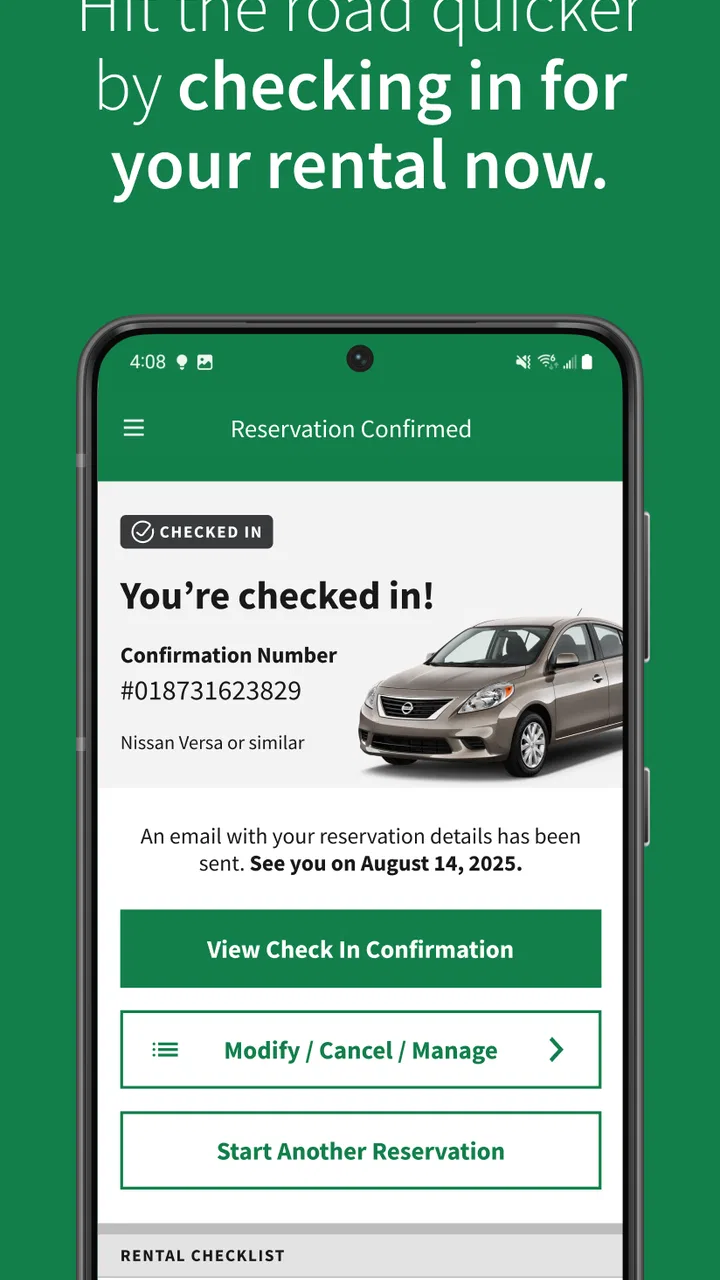
Absolutely! The app allows users to modify or cancel their reservations easily. Simply navigate to the ‘My Trips’ section, select the reservation you wish to change, and follow the prompts to update your booking details or cancel if necessary. Terms and conditions may apply.
04What are the payment options available in the Enterprise Car Rental app?
The app supports a variety of payment methods, including major credit cards like Visa, MasterCard, and American Express. Some locations may also accept debit cards. It’s advisable to check the specific payment policies of the rental location you choose, as they can vary.
05Does the app offer any loyalty programs or discounts?
Yes, the Enterprise Car Rental app provides access to exclusive offers and discounts for registered users. It also integrates with the Enterprise Plus loyalty program, allowing members to earn points on qualifying rentals that can be redeemed for free rental days and other rewards.
Pros
- Wide selection of vehicles available.
- User-friendly booking interface.
- Competitive pricing options.
- Flexible rental terms offered.
- Excellent customer service support.
Cons
- Limited availability during peak seasons.
- App occasionally experiences slow load times.
- No real-time chat support in app.
- Requires frequent app updates.
- Some hidden fees may apply.

Enterprise Car Rental
Gallery